
Your trackpad had faders all along.
MacFader turns its edges into volume, brightness and music controls.
$3.99 once
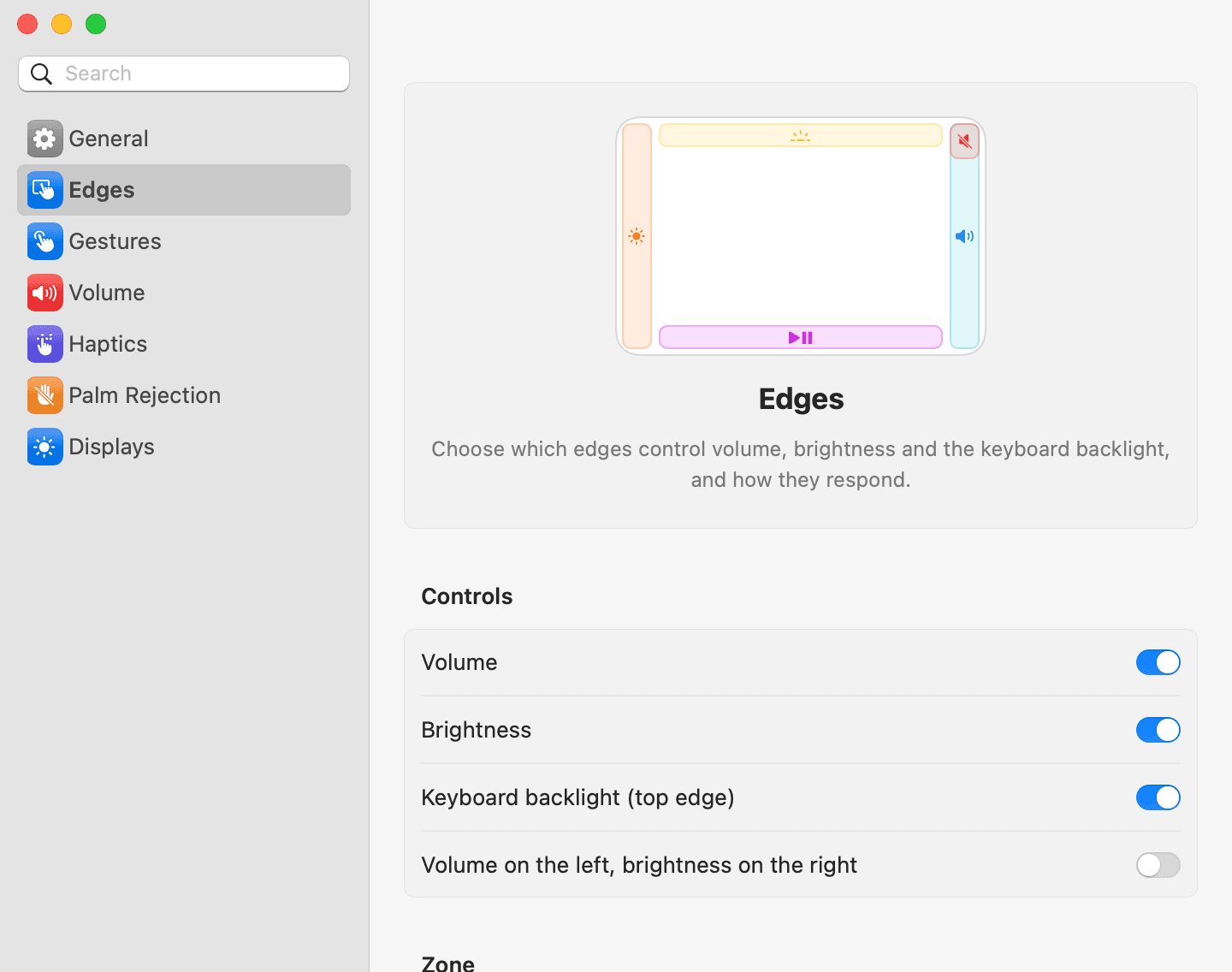
Five gestures, one trackpad
Volume
Slide up or down the right edge.
1/16 steps, 1/64 holding ⇧⌥
Brightness
Slide along the left edge. It follows the display under your pointer.
Built-in, Apple and DDC monitors
Keyboard light
Slide sideways along the top edge.
Backlit keyboards
Mute
Double-tap the top-right corner. The top-left corner mutes your microphone.
Microphone corner off until you turn it on
Music
Swipe along the bottom edge to skip a track. Double-tap it to play or pause.
Needs Accessibility access
Tune every edge to your hand
Every edge on its own switch, every zone drawn out, in one window that looks like the rest of your Mac.
Set the level without looking
A light click every sixteenth of the way, and a firm one at the ends and at the volume you like best. Drag the cap to feel where they fall.
38%A firm click
Never online, never in your way
- No network connections
- MacFader never goes online and collects nothing.
- No permissions to start
- Volume, brightness and mute need none. Music controls ask for Accessibility.
- Ignores your palm
- And the edges while you type.
- Any Mac trackpad
- Built-in or Magic Trackpad, picked back up when it wakes.
- macOS 13 or later
- On Macs with Apple Silicon.
$3.99
Once. No subscription, and the license is yours to keep.
Buy MacFader